

Download LazyWait KDS: Kitchen Display – Kitchen Display System, Order Management, Restaurant Operations, POS Integration, Real-Time Updates
Overview
The LazyWait KDS: Kitchen Display app is a specialized productivity tool designed to streamline kitchen operations within restaurant environments. Built exclusively for users of the LazyWait POS system, the application serves as a real-time order management interface that enhances coordination between front-of-house and kitchen staff. Its primary function is to deliver instant updates on incoming orders, enabling kitchen teams to prioritize, track, and fulfill orders with greater accuracy and speed. This direct integration reduces reliance on manual communication, minimizing the risk of missed or incorrect orders.
Target users include restaurant managers, head chefs, and kitchen staff who rely on timely, accurate information to maintain operational efficiency. The app is particularly beneficial in fast-paced dining settings where order volume fluctuates rapidly. By organizing orders into clear categories such as 'In Progress' and 'Completed,' the system supports a clutter-free workflow, helping teams maintain focus and reduce cognitive load during peak hours. This structured approach contributes to improved kitchen throughput and better customer service outcomes.
As part of the broader LazyWait ecosystem, the app strengthens the digital infrastructure of small to mid-sized foodservice businesses. The developer, LazyWait, has positioned this tool as a critical component in modernizing restaurant operations through seamless technology integration. While specific technical details about the development background were not provided, the app’s focus on real-time synchronization and workflow optimization reflects a clear understanding of industry pain points. In the evolving landscape of restaurant tech, tools like LazyWait KDS play a vital role in bridging the gap between order entry and food preparation.
Key Features & Functionality
- Real-Time Order Updates: Kitchen staff receive live notifications as new orders arrive through the LazyWait POS. This ensures immediate awareness of incoming requests, allowing for prompt preparation and reducing the chance of delays or omissions.
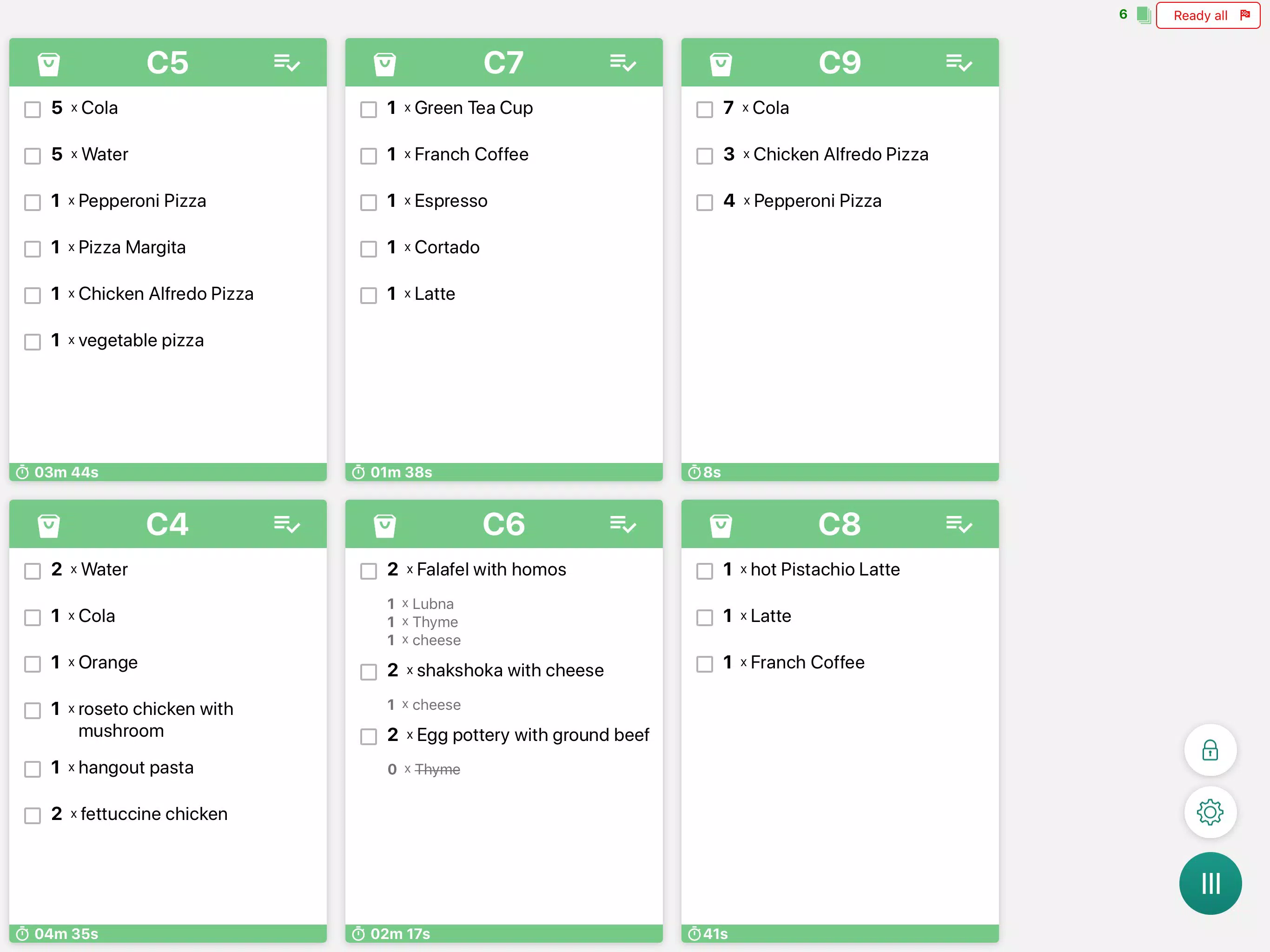
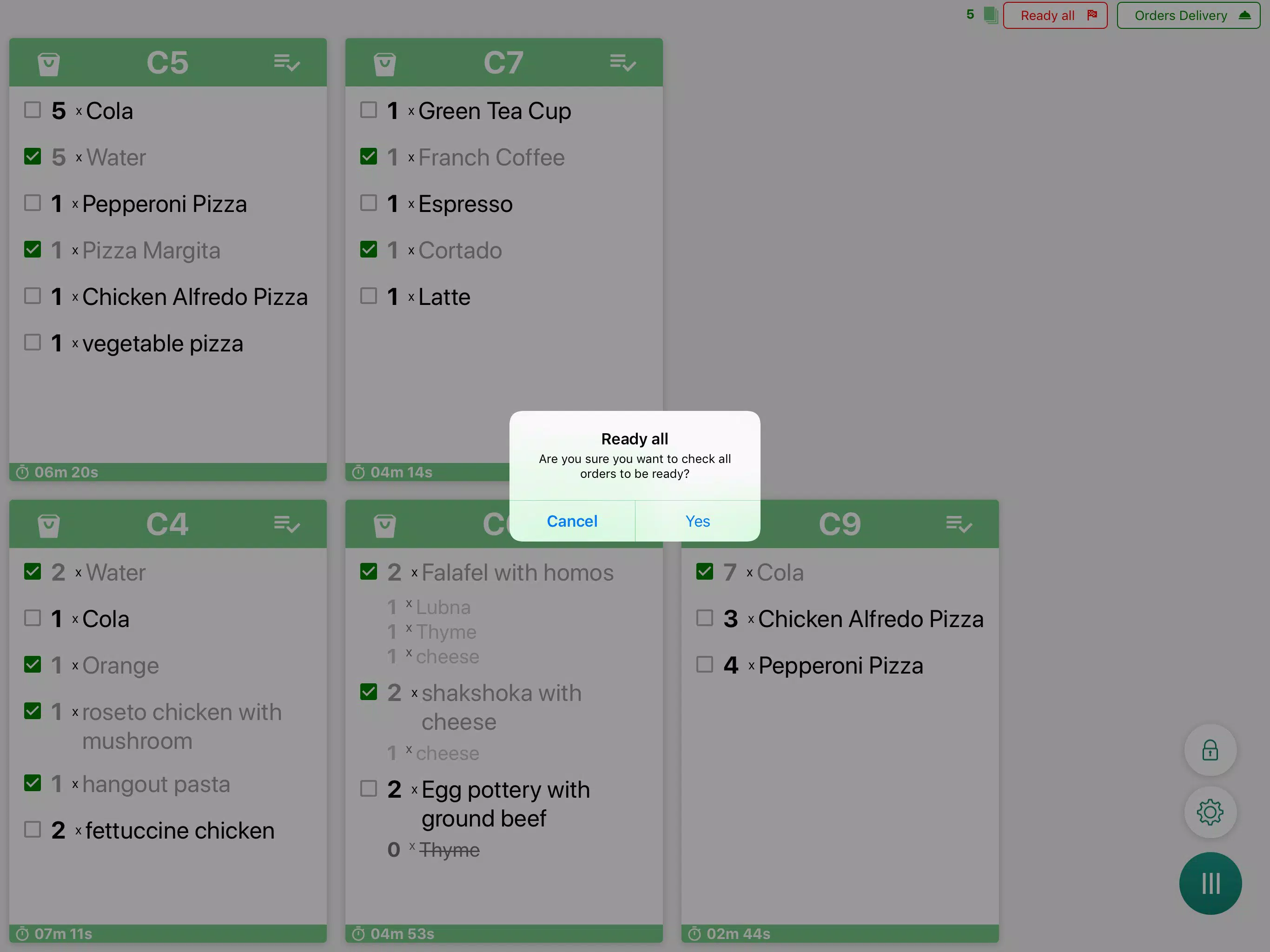
- Order Organization: Orders are automatically sorted into dedicated sections—'In Progress' and 'Completed'—offering a visual and logical workflow. This separation helps chefs manage tasks efficiently and prevents confusion during high-volume periods.
- Customizable Notifications: Users can tailor alert settings to match their operational preferences. This flexibility allows staff to prioritize urgent orders or adjust notification intensity based on kitchen workload and ambient noise levels.
- Seamless POS Integration: The app synchronizes directly with the LazyWait POS system, eliminating the need for duplicate data entry. All order information is shared in real time, ensuring consistency and reducing human error.
- Enhanced Customer Satisfaction: By accelerating order fulfillment and improving accuracy, the app contributes directly to shorter wait times and more reliable service. This, in turn, supports repeat visits and strengthens customer loyalty.
For example, a busy lunch rush at a café can be managed more effectively when the kitchen team sees each new order instantly and can assign preparation tasks without delay. Similarly, in a multi-station kitchen, different team members can monitor their respective order queues, ensuring balanced workload distribution. These use cases demonstrate how the app transforms routine kitchen operations into a more coordinated and responsive process.
Interface, UX & Performance
The user interface of LazyWait KDS is designed with clarity and functionality in mind. The layout emphasizes readability, using large, legible text and distinct visual cues to differentiate order statuses. Navigation is intuitive, allowing kitchen staff to access order lists, adjust settings, and view history with minimal effort. The app’s design prioritizes speed and ease of use, which is essential in high-pressure environments where every second counts.
Although the developer did not list formal performance metrics, the app’s lightweight size of 15.2 MB suggests efficient resource usage. This makes it suitable for a wide range of Android devices, including budget-friendly models commonly used in commercial kitchens. The interface remains responsive during typical operation, with minimal lag when updating order statuses or switching views. Stability appears consistent across standard usage scenarios, though specific testing across device categories was not disclosed.
Users can expect smooth interaction when managing multiple orders simultaneously, thanks to the app’s streamlined workflow. The visual feedback for completed orders—such as automatic removal or color changes—provides clear confirmation, reducing uncertainty. Overall, the UX design aligns well with the practical demands of kitchen environments, where quick decision-making and clear information are paramount.
Platform Compatibility & Technical Requirements
LazyWait KDS: Kitchen Display is available exclusively on the Android platform. The current version is 1.0.1, with a file size of 15.2 MB, making it a lightweight download suitable for most Android devices. The app is free to download and install, removing financial barriers to adoption for small restaurant operators.
While the developer did not specify minimum OS requirements or compatibility details beyond the platform, the app’s compact size and focused functionality suggest it is optimized for modern Android versions. It is likely compatible with devices running Android 6.0 (Marshmallow) or later, though this was not confirmed. Users should ensure their device meets standard Android system requirements for app installation. Specific hardware or permission needs were not disclosed.
Pros and Cons
Pros
- Real-time order synchronization with the LazyWait POS system
- Clear visual organization of orders into 'In Progress' and 'Completed' sections
- Customizable alert settings for improved responsiveness
- Lightweight design at just 15.2 MB
- Free to download and use
Cons
- Platform availability limited to Android only
- Specific technical requirements were not listed
- Integration is restricted to the LazyWait POS ecosystem
- Developer did not provide performance benchmarks or device compatibility details
- No information on offline functionality or backup features
FAQ
Is LazyWait KDS compatible with all Android devices?
The developer did not specify minimum OS requirements or device compatibility details. The app’s lightweight size suggests broad compatibility, but users should verify their device meets standard Android system requirements.
Can I use this app without a LazyWait POS system?
No. The app is designed exclusively for integration with the LazyWait POS system. It cannot function independently or with other POS platforms.
Is the app secure?
While specific security measures were not disclosed, the app operates within the secure ecosystem of the LazyWait POS, which likely includes data encryption and authentication protocols.
How often does the app update?
The app’s version is 1.0.1, released on November 22, 2024. The developer has not provided information on update frequency or future release plans.
Does the app work offline?
The developer did not disclose whether the app supports offline functionality or data synchronization after reconnection.
Final Thoughts + CTA
LazyWait KDS: Kitchen Display delivers a focused, practical solution for restaurants already invested in the LazyWait POS ecosystem. Its real-time order updates, intuitive layout, and seamless integration make it a valuable asset for improving kitchen efficiency and customer satisfaction. While the app is limited to Android and lacks detailed technical disclosures, its lightweight design and free access make it accessible for small to mid-sized foodservice operators.
For kitchen managers and staff seeking to reduce errors, streamline workflows, and enhance service speed, this app offers tangible benefits. It represents a smart step toward digitizing restaurant operations with minimal overhead. Though not a universal tool, its purpose-driven design ensures it excels within its intended environment.
Download LazyWait KDS: Kitchen Display now and transform your kitchen’s order management with real-time precision and clarity.


